Troubleshooting Guide
Common problems, their causes, and solutions. If your issue isn't listed here, check the API Reference or open an issue on GitHub.
Bodies fall through walls / floors
Symptoms: Dynamic bodies pass through static bodies without colliding.
Cause 1: Fast body, no CCD
Small or fast bodies can skip past thin walls between simulation steps.
// Fix: enable CCD on fast-moving bodies
bullet.isBullet = true;
Cause 2: Sub-stepping too low
Even with CCD, extreme speeds or thin walls can cause tunneling.
// Fix: increase sub-steps
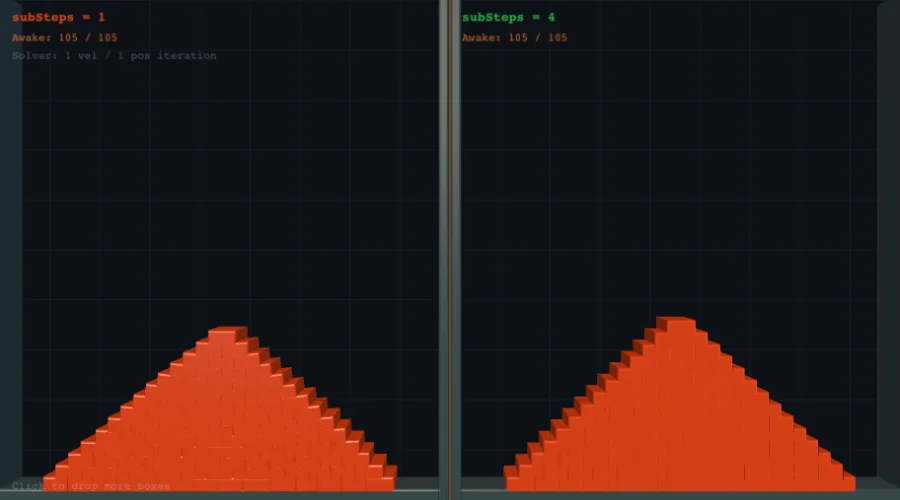
space.subSteps = 4; // each step(dt) runs 4 internal passes at dt/4
Cause 3: Material in wrong constructor parameter (P57 bug)
If you created a Polygon with a Material in the wrong position, the Material object was silently treated as an InteractionFilter, breaking collision.
// WRONG — Material ends up in the filter slot
new Polygon(verts, undefined, material);

// CORRECT — all of these work
new Polygon(verts, material);                    // 2-arg shorthand
new Polygon(verts, localCOM, material, filter);  // full signature
new Polygon(verts, undefined, material);         // also works after P57 fix
If you're on a version before 3.19, update to the latest.
Cause 4: Zero friction tunneling
Bodies with friction = 0 and horizontal velocity can tunnel through floors.
// Fix: use a small minimum friction
for (const s of body.shapes) {
  s.material.dynamicFriction = Math.max(s.material.dynamicFriction, 0.01);
  s.material.staticFriction = Math.max(s.material.staticFriction, 0.01);
}
Raycast returns null even though bodies exist
Cause: The broadphase hasn't indexed the shapes yet. Static bodies are only registered after the first simulation step.
// Fix: call step() at least once before raycasting
space.step(1 / 60);

const result = space.rayCast(ray);
// Now result will include static bodies
applyForce() is not a function
Cause: nape-js uses applyImpulse() instead of applyForce().
- Impulse = instantaneous velocity change (used once)
- Force = continuous acceleration (you'd apply it every frame)
// For a one-time push (e.g., explosion, jump):
body.applyImpulse(new Vec2(0, -5000));

// For continuous acceleration (e.g., thrust), apply impulse every frame:
function update(dt: number) {
  body.applyImpulse(new Vec2(thrustX * dt, thrustY * dt));
  space.step(dt);
}
Cannot set space on a compound member body
Cause: Bodies inside a Compound share the compound's space. You can only
set .space on the root compound, not on individual member bodies.
// WRONG — throws an error
compound.bodies.at(0).space = space;

// CORRECT — set space on the compound
compound.space = space;
ConstraintListener doesn't fire for BREAK events
Cause 1: the joint never breaks. Breaking is opt-in — breakUnderForce
and breakUnderError are both false by default, so a joint over its
maxForce / maxError is at most clamped (and a stiff joint ignores
maxForce entirely).
joint.maxForce = 5000;
joint.breakUnderForce = true; // without this, BREAK never fires

space.listeners.add(
  new ConstraintListener(CbEvent.BREAK, CbType.ANY_CONSTRAINT, (cb) => {
    // cb.constraint broke; with removeOnBreak (default) it has left the space
  }),
);
Cause 2 (nape-js ≤ 3.42.3): CbType.ANY_CONSTRAINT was never attached to
constraints, so listeners on it matched nothing. Upgrade, or tag the joints
with your own type:
const breakableTag = new CbType();
joint.cbTypes.add(breakableTag);
space.listeners.add(new ConstraintListener(CbEvent.BREAK, breakableTag, handler));
listener.options = cbType throws "Cannot read properties of undefined"
Cause (nape-js ≤ 3.42.4): the options setter of BodyListener /
ConstraintListener and the options1 / options2 setters of
InteractionListener / PreListener are typed OptionType | CbType, but
only an OptionType worked. Fixed in 3.43.0 — a bare CbType is accepted, as
it always was in the constructors. On older versions wrap it:
listener.options = new OptionType(cbType); // works on every version
Listener precedence seems to run backwards
Cause: the direction depends on the listener type (inherited from Haxe nape):
| Listener | Runs first | Tie (same precedence) |
|---|---|---|
BodyListener, ConstraintListener |
higher precedence |
added last |
InteractionListener, PreListener |
lower precedence |
added first |
When several PreListeners return a flag for the same pair, the last one
called wins — so the highest-precedence PreListener has the final say. Give
the listener whose flag must win the highest precedence.
"Shape::sensorEnabled cannot be set during a space step()"
Cause: the flag was changed while space.step() was running — in
practice, from inside a PreListener handler, which runs mid-step. Toggling a
sensor rewrites broadphase and arbiter state that the step is iterating, so
the engine forbids it (as upstream nape does). The same rule applies to every
setter that throws "cannot be set during a space step()".
Fix: record the change in the handler, apply it after the step:
let turnGhostIntoSensor = false;
space.listeners.add(
  new PreListener(InteractionType.COLLISION, playerTag, ghostTag, () => {
    // ghostShape.sensorEnabled = true;  ← throws here
    turnGhostIntoSensor = true; // record only
    return PreFlag.IGNORE;
  }),
);

space.step(1 / 60);
if (turnGhostIntoSensor) {
  ghostShape.sensorEnabled = true; // safe: the step is over
  turnGhostIntoSensor = false;
}
BodyListener, InteractionListener and ConstraintListener callbacks are
delivered after the step, so they may change the flag directly.
Joints go limp after loading a JSON save
Cause (nape-js ≤ 3.42.4): maxForce / maxError default to Infinity,
which JSON.stringify writes as null. spaceFromJSON then set the limit to
null — effectively zero — and every joint stopped holding. Binary snapshots
and in-memory snapshots that were never stringified were not affected.
Fixed in 3.43.0: the snapshot stores unlimited as null itself and the loader
reads null back as Infinity, so saves written by older versions load
correctly too. On older versions, restore the limit after loading:
const restored = spaceFromJSON(JSON.parse(json));
for (const c of restored.constraints) {
  if (!c.maxForce) c.maxForce = Infinity;
  if (!c.maxError) c.maxError = Infinity;
}
A restored space drifts away from the original
Cause (nape-js ≤ 3.42.4): engine lists insert at the head, so restoring a
snapshot added bodies and constraints in reverse order. The solver is
order-dependent, so with several joints or a pile of contacts the restored
space and the original stepped differently. Fixed in 3.43.0: a restored space
keeps the original iteration order and steps identically (same platform, and
space.deterministic = true for contact-heavy scenes — see the
multiplayer guide).
Also check that both sides use the same Config values — they are not part of
the snapshot.
Known limitation — snapshots taken mid-contact: contact state (the accumulated contact impulses the solver warm-starts from) is not part of a snapshot either. A snapshot taken while bodies are pressing on each other — a stack still settling, a pile being pushed — restores bit-close but not bit-identical: a four-box stack drifts ~0.1 px from the original over the next 30 steps. Snapshots taken before contacts form, or while the touching bodies sleep, restore exactly. For rollback, have every peer restore from the same snapshot rather than comparing a restored copy against a live space.
Collision callbacks crash with "Cannot read properties of null (reading 'remove_arb')"
Cause (nape-js ≤ 3.43.2): with a collision InteractionListener
registered, two situations generated the same END twice and crashed on the
second one:
space.subSteps > 1and a contact that ended during a step (a bouncing ball is enough) — the END was generated once per sub-step;- a body switched to
BodyType.STATICwhile touching a static body, then back toDYNAMIC— and no BEGIN fired for the renewed contact.
Fixed in 3.43.3. On older versions keep subSteps = 1 when you listen for
collision events, and remove a body from the space instead of making it
static while it rests on static geometry.
A body switched STATIC → DYNAMIC sinks into the floor for a few steps
Cause (nape-js ≤ 3.43.2): with the default DYNAMIC_AABB_TREE
broadphase, a body made static kept its broadphase leaf in the dynamic tree.
Made dynamic again while resting on a static body, its contact pairs were not
re-checked until it had moved out of its padded bounding box, so it fell ~3 px
into the floor and then snapped back. Fixed in 3.43.3.
Joints pinned to space.world break the restored space
Cause (nape-js ≤ 3.43.2): a constraint attached to space.world was saved
as "no body", came back with a null body, and the restored space threw
"cannot be simulated null bodies" on its first step. Separately, a space using
Broadphase.SPATIAL_HASH was restored with SWEEP_AND_PRUNE. Fixed in
3.43.3 for both formats (the world is stored as body id -2); snapshots saved
by older versions still contain null for those joints, so re-save them.
Constraints missing after spaceFromJSON / spaceFromBinary
UserConstraint: it is only saved through aUserConstraintCodecpassed asoptions.userConstraints— to the save and the load call. See the cookbook.SpringJoint(nape-js ≤ 3.42.4): not saved by either format. Fixed in 3.43.0.PulleyJointthrows "cannot be simulated with null bodies" after loading (nape-js ≤ 3.42.4): onlybody1/body2were saved, sobody3/body4came backnull. Fixed in 3.43.0; reassignbody3/body4yourself on older versions.- Every joint, from the published package (nape-js ≤ 3.42.4): the
serializer told joint types apart by class name, which the minified
dist/bundle renames — sospaceToJSON/spaceToBinarysaved no constraints at all outside the repo's own tests. Fixed in 3.43.0; upgrade.
"Arbiter not currently in use" from normalImpulse() / crushFactor()
Cause (nape-js ≤ 3.42.4): after two bodies separate their arbiter lingers
for Config.arbiterExpirationDelay steps, inactive. body.arbiters still
listed it, so every Body impulse query (normalImpulse, tangentImpulse,
totalImpulse, rollingImpulse, crushFactor) threw right after a
separation. Fixed in 3.43.0: body.arbiters only lists active arbiters, as
in Haxe nape. On older versions, wrap the query in try/catch for a few steps
after separation.
body.interactingBodies() returns nothing (or every partner)
Cause (nape-js ≤ 3.42.4): with no type it always returned an empty list,
with InteractionType.FLUID it returned every partner, and depth was
ignored. Fixed in 3.43.0 — it follows interaction chains up to depth hops
(-1 = unlimited, 1 = direct partners), filtered by type.
shapesInAABB / bodiesInAABB miss shapes that are clearly inside
Cause (nape-js ≤ 3.42.4): the broadphase reuses one query rectangle and
rescaled it from the previous query. After a tiny query far from the origin
the next query searched the wrong region. Separately, DYNAMIC_AABB_TREE
bodiesInAABB(…, containment = true) could report a body whose other shape
sticks out. Both fixed in 3.43.0 (both inherited from Haxe nape).
A WeldJoint makes a rotation-only body spin faster and faster
Cause (nape-js ≤ 3.42.4): when neither welded body can translate (e.g.
allowMovement = false against a static body) the solver inverted a singular
matrix; with an anchor away from the body's centre the spin grew without
bound. Fixed in 3.43.0. On older versions use PivotJoint + AngleJoint.
Setting a Capsule's radius after scale() is ignored or warps it
Cause (nape-js ≤ 3.43.1): scale() rescaled the capsule, but the
radius / halfLength setters compared against and rebuilt from the
pre-scale values. After capsule.scale(2, 2), setting radius back to its
original value did nothing, and any other value rebuilt the outline with the
old halfLength while the halfLength getter reported the scaled one.
Fixed in 3.43.2. On older versions, rebuild the shape instead of resizing a
scaled capsule: remove it and add new Capsule(width, height).
for (const v of polygon.localVerts) throws "is not iterable"
Cause (nape-js ≤ 3.42.4): localVerts / worldVerts were not real
Vec2Lists — not iterable, and new Polygon(other.localVerts) was rejected.
Fixed in 3.43.0. On older versions use for (let i = 0; i < l.length; i++) l.at(i).
Known limitations
GeomPoly.simpleDecomposition()on degenerate input: three edges crossing at one point, a vertex visited twice (spikes, keyholes) can throw; rarely a piece has zero area or self-crosses; an edge crossing the interior of a vertical edge can be missed —isSimple()then returnstrue, andsimpleDecomposition()can return the self-crossing ring as a single piece. After a throw, callsimpleDecomposition()only on fresh engine state (static sweep state is left behind). Clean up input (simplify, remove duplicate points) first. Inherited from Haxe nape.MarchingSquares.runwith bounds that are not a whole number of cells samples the last column/row past the bound; withcombine = truea tiny negative value (e.g.-1e-20float noise) next to a notch can crash. Use bounds that are a multiple of the cell size, and clamp near-zero values.
Material constructor order is confusing
The parameter order is:
Material(elasticity, dynamicFriction, staticFriction, density, rollingFriction)
Elasticity comes first. This differs from some engines where friction is first.
// Bouncy rubber ball
const rubber = new Material(
  0.9,  // elasticity (high = bouncy)
  0.8,  // dynamicFriction
  0.9,  // staticFriction
  1.2,  // density
  0.01, // rollingFriction
);

// Or use a built-in preset:
const preset = Material.rubber(); // pre-configured values
Bodies jitter or explode on startup
Cause: Bodies spawned overlapping each other. The solver pushes them apart aggressively, causing a "physics explosion."
Fix: Ensure bodies don't overlap at spawn. Leave at least 1-2 px gap, or
use space.subSteps = 4 to improve solver stability.
Stacked objects are unstable / wobble
Fix 1: Increase sub-steps:
space.subSteps = 4;
Fix 2: Increase solver iterations:
// Default is step(dt, 10, 10)
space.step(1 / 60, 20, 20); // more velocity + position iterations
Fix 3: Increase friction on the shapes:
for (const s of body.shapes) {
  s.material.staticFriction = 2.0;
  s.material.dynamicFriction = 1.5;
}
Character slides on slopes / doesn't stop
Cause: Using force/impulse-based movement instead of CharacterController.
Dynamic body movement with forces inherently slides on slopes due to gravity
decomposition. Use the geometric CharacterController for precise platformer
movement.
import { CharacterController } from "@newkrok/nape-js";

const cc = new CharacterController(space, body, {
  maxSlopeAngle: Math.PI / 4, // 45° walkable
});
Character hangs on a wall / ledge edge while a direction key is held
Symptom: Holding left/right into a wall (or the side of a platform / one-way platform) while airborne freezes the character in place — it only falls once the key is released.
Cause: Material friction against a re-asserted push. A velocity-driven
character writes e.g. vx = 210 into the wall every frame; the contact solver
cancels that with a large normal impulse, and friction turns it into a
tangential impulse big enough to cancel gravity for the whole step.
Fix: CharacterController handles this since the wallFriction option
exists — non-ground contacts (steeper than maxSlopeAngle) get friction 0
while floors and slopes keep material friction. If you passed
wallFriction: null, or drive the body yourself, either drop the option or
zero friction on wall contacts in a PreListener:
new PreListener(InteractionType.COLLISION, playerTag, CbType.ANY_BODY, (cb) => {
  const arb = cb.arbiter.collisionArbiter;
  if (arb && Math.abs(arb.normal.y) < 0.7) {
    arb.dynamicFriction = 0;
    arb.staticFriction = 0;
  }
  return null; // leave accept / ignore to the engine
}).space = space;
Web Worker physics is slower than main thread
Possible causes:
-
postMessagefallback — IfSharedArrayBufferis not available (missing COOP/COEP headers), transforms are copied via postMessage each frame. Ensure your server sends:Cross-Origin-Opener-Policy: same-origin Cross-Origin-Embedder-Policy: require-corp -
Too many bodies — Worker communication overhead per body is fixed. For < 50 bodies, main-thread physics is often faster.
Fluid buoyancy doesn't work
Checklist:
- Is
fluidEnabled = trueon the fluid shape? - Did you set
fluidProperties? - Is the fluid body's type
STATIC(orKINEMATIC)? - Is the dynamic body's shape density different from the fluid density?
// Correct fluid setup
const waterShape = new Polygon(Polygon.box(300, 100));
waterShape.fluidEnabled = true; // <-- often forgotten
waterShape.fluidProperties = new FluidProperties(1.5, 3.0);
waterBody.shapes.add(waterShape);
Buoyancy flickers or vanishes when a vertex touches the surface (before
nape-js 3.43.1): the fluid overlap clipper lost track when a polygon
vertex lay exactly on the fluid's edge (or on a fluid circle's rim), or when
two edges were collinear — e.g. a box resting flat on the water line. The
fluid arbiter disappeared for that step, or got the wrong area. Fixed by
replacing the clipper with an exact polygon/circle clip; upgrade if you see it.
A body struck by a very fast kinematic spinner jumps to the pivot
Known limitation. A kinematic body spinning fast enough to sweep a large arc in one step (from roughly 30 rad/s for a 200 px arm at 60 Hz) does hit what it sweeps over (CCD sub-samples its swept AABB), but the struck body can then be pulled next to the pivot instead of flying off tangentially: after the time of impact the spinner keeps turning, and the position solver resolves the contact against the now-stale edge normal with an unclamped correction.
Workarounds: set space.subSteps so the spinner turns less per step
(subSteps = 4 removes it up to ~60 rad/s for that arm; faster spinners need
more), cap the spinner's angular velocity, or drive the paddle as a dynamic
body with a MotorJoint instead of a kinematic body.
"Cannot read property of disposed Vec2"
Cause: Using a Vec2.weak() or manually disposed vector after it's been
returned to the object pool.
// WRONG — weak vectors are auto-disposed after one use
const v = Vec2.weak(10, 0);
body.applyImpulse(v);
console.log(v.x); // ERROR: disposed

// CORRECT — use Vec2.get() and dispose manually
const v = Vec2.get(10, 0);
body.applyImpulse(v);
console.log(v.x); // OK
v.dispose(); // return to pool when done
GeomPoly.cut() returns a piece that is not simple, or throws a TypeError
Both are fixed in 3.43.0; upgrade. On 3.42.4 and earlier:
Not simple: the cut line passes through a single reflex vertex that only touches the line — both of its neighbours are on the same side, and the polygon continues on the other side. The two lobes on the touching side came back as one piece pinched at that vertex. Split such pieces yourself:
// Notch from the top at (10, 10): y = 10 gives a rectangle + 2 triangles
const notch = new GeomPoly([
  new Vec2(0, 0), new Vec2(20, 0), new Vec2(20, 20), new Vec2(10, 10), new Vec2(0, 20),
]);
const pieces = notch.cut(new Vec2(-5, 10), new Vec2(25, 10));
// 3.43.0+: three simple pieces. ≤ 3.42.4: rectangle + one pinched piece.
for (let i = 0; i < pieces.length; i++) {
  const p = pieces.at(i);
  if (!p.isSimple()) p.simpleDecomposition(); // → the two triangles
}
TypeError: Cannot read properties of null: the start and end of the cut
line were the same point (a click without a drag). Since 3.43.0 a zero-length
line cuts nothing and returns one uncut copy, like a line that misses the
polygon. On older versions, skip the cut when start equals end.
Simulation is slow / how to find the bottleneck
Use the built-in performance profiler to identify which phase is eating time.
import { PerformanceOverlay } from "@newkrok/nape-js/profiler";

// Quick visual overlay
const overlay = new PerformanceOverlay(space, { position: "top-right" });

// Or headless: enable metrics and read them programmatically
space.profilerEnabled = true;
space.step(1 / 60);
const m = space.metrics;
console.log(`broadphase: ${m.broadphaseTime}ms, narrowphase: ${m.narrowphaseTime}ms`);
Common bottlenecks and fixes:
| Bottleneck | Symptom | Fix |
|---|---|---|
| Broadphase | broadphaseTime high, many bodies |
Switch broadphase strategy (SweepAndPrune → DynamicAABBTree or SpatialHashGrid) |
| Narrowphase | narrowphaseTime high |
Too many overlapping shapes — simplify geometry, use collision filtering |
| Velocity solver | velocitySolverTime high |
Reduce solver iterations: space.step(dt, 8, 8) instead of default 10 |
| Sleeping bodies low | sleepingBodyCount near 0 |
Ensure sleep is enabled — resting bodies should auto-sleep to save CPU |
| Too many contacts | contactCount very high |
Use InteractionFilter bit masks to skip unnecessary collisions |
See the Cookbook — Performance Profiling recipe for full setup.
Deterministic mode doesn't produce identical results across browsers
This is expected. nape-js provides "soft" determinism — identical results on the same platform (same browser + OS + architecture). Cross-platform bit-exact IEEE 754 determinism is not possible in pure JavaScript because different JS engines handle floating-point edge cases differently.
For multiplayer, use server-authoritative architecture with periodic state sync rather than relying on cross-platform determinism. See the Multiplayer Guide.
Related demos
Interactive demos that exercise what this guide covers.