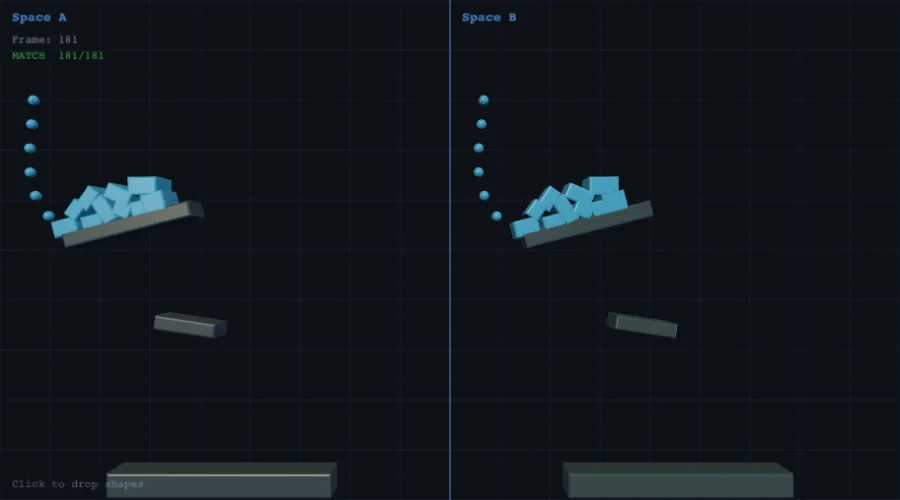
nape-js — Multiplayer Implementation Guide
Recommendations and architectural patterns for building real-time multiplayer games with nape-js. Based on the production multiplayer demo (P52) and the engine's serialization capabilities.
Architecture: Server-Authoritative
Recommendation: Always run physics on the server.
The server owns the simulation. Clients send inputs, the server applies them, steps the physics world, and broadcasts the resulting state. This is the only architecture that prevents cheating in competitive games.
Client A  ──input──→  Server (nape-js Space)  ──state──→  Client A
Client B  ──input──→        ↓                 ──state──→  Client B
                      space.step(dt)
Why not peer-to-peer? P2P physics is inherently vulnerable to cheating (any client can lie about state) and requires lockstep synchronization, which adds latency equal to the slowest peer. Server-authoritative is the industry standard for any game where fairness matters.
Why not client-authoritative? Each client running its own simulation diverges due to floating-point non-determinism (see Determinism section below). The server is the single source of truth.
Server Setup
Runtime
nape-js is pure TypeScript with zero DOM dependencies — it runs natively on Node.js without any browser polyfills. The recommended server stack:
| Component | Recommendation | Why |
|---|---|---|
| Runtime | Node.js 18+ | Native ESM, stable Buffer, good perf |
| WebSocket | ws package |
Lightweight, binary support, proven at scale |
| HTTP | Node.js built-in http |
No need for Express/Fastify for WS-only servers |
| Hosting | Railway / Fly.io / Render | Single-command deploy, WebSocket support, auto-sleep |
Railway Deployment
The multiplayer demo uses Railway with this minimal config:
# railway.toml
[build]
builder = "nixpacks"

[deploy]
startCommand = "node index.js"
Why Railway? WebSocket-friendly (no timeout issues), free tier available, auto-deploy from GitHub, simple environment variable management. Fly.io and Render are equally good alternatives. Avoid serverless platforms (Vercel, Netlify Functions, AWS Lambda) — they don't support persistent WebSocket connections.
Physics Loop
Run the simulation at a fixed timestep, independent of network or render timing:
const TICK_HZ = 60;
const TICK_MS = 1000 / TICK_HZ;

setInterval(() => {
  applyPlayerInputs();           // process queued inputs
  space.step(TICK_MS / 1000);    // step physics (seconds)
  const frame = buildStateFrame();
  if (frame) broadcastBinary(frame);
}, TICK_MS);
60 Hz is the recommended tick rate. This matches standard display refresh, provides smooth simulation, and the binary delta protocol keeps bandwidth manageable even at this rate. For less latency-sensitive games (strategy, puzzle), 20–30 Hz saves bandwidth.
Protocol: JSON + Binary Hybrid
Use JSON for control messages and binary for state frames. This is the optimal split for bandwidth and developer ergonomics.
Client → Server (JSON)
// Input (sent at 20 Hz — independent of tick rate)
{ type: "input", keys: { left: true, right: false, jump: false } }

// Ping (every 2 seconds)
{ type: "ping" }
Send inputs at 20 Hz (50 ms), not every frame. Input changes are discrete (key pressed/released), so 20 Hz captures all transitions with minimal bandwidth. The server applies the latest input state every tick.
Server → Client (JSON, on events)
// Init packet (once, on connection)
{
  type: "init",
  playerId: 1,
  bodyId: 5,
  staticBodies: [{ x, y, w, h, oneWay }],
  sceneObjects: [{ id, shape, size, x, y }],
  players: [{ id, colorIdx, bodyId }]
}

// Player join/leave
{ type: "players", count: 3, players: [...] }
Server → All (Binary, every tick)
[bodyCount: Uint16] + N × [id: Uint16, x: Float32, y: Float32, rot: Float32]
Total: 2 + N × 14 bytes per frame
This is a custom delta protocol, not the full spaceToBinary() serializer.
Only bodies whose position or rotation changed beyond a threshold are included:
const POS_THRESHOLD = 0.1;   // pixels
const ROT_THRESHOLD = 0.001; // radians
Bandwidth Budget
| Scenario | Bodies/frame | Bytes/frame | Bytes/sec (60 Hz) | KB/s |
|---|---|---|---|---|
| 4 players, 10 objects moving | ~14 | 198 | 11,880 | ~12 |
| 8 players, 20 objects moving | ~28 | 394 | 23,640 | ~23 |
| 8 players, all 40 objects | ~48 | 674 | 40,440 | ~40 |
This is well within typical WebSocket budgets. For comparison, most competitive games use 30–100 KB/s per client.
JSON vs Binary Serialization
nape-js provides two serialization formats. Choose based on your use case:
spaceToJSON |
spaceToBinary |
Custom delta protocol | |
|---|---|---|---|
| Payload size | Largest (~100+ bytes/body) | ~40–60% smaller | Smallest (~14 bytes/body) |
| Includes userData | Yes | No | No |
| Full state restore | Yes | Yes | No (positions only) |
| Use case | Save/load, debugging, replay | Rollback snapshots, full sync | Per-frame state broadcast |
| Import | @newkrok/nape-js/serialization |
@newkrok/nape-js/serialization |
Hand-written (see demo) |
Recommendation for multiplayer:
- Per-frame sync: Custom binary delta protocol (only changed body transforms)
- Full state sync (on join, reconnect):
spaceToBinary()or custom init packet - Rollback netcode:
spaceToBinary()/spaceFromBinary()for snapshot/restore - Save/load & debugging:
spaceToJSON()/spaceFromJSON()
When to Use Full Serialization Over Deltas
The delta protocol only sends position + rotation. If your game needs to synchronize velocity, angular velocity, or custom body properties, consider:
- Extending the delta protocol with additional fields
- Periodic full state sync (e.g., every 5 seconds via
spaceToBinary()) - Using
spaceToJSON()for debug snapshots during development
Client-Side Interpolation
The client does NOT run physics. It receives server state and interpolates between snapshots for smooth rendering.
How It Works
const TICK_MS = 1000 / 60;
const INTERP_DELAY = TICK_MS * 1.5;  // 25 ms buffer

function interpolate(state, now) {
  if (!state.ts || !state.pts || state.ts <= state.pts) return state;

  const renderTime = now - INTERP_DELAY;
  const alpha = Math.max(0, Math.min(1,
    (renderTime - state.pts) / (state.ts - state.pts)
  ));

  return {
    x:   state.px + (state.x - state.px) * alpha,
    y:   state.py + (state.y - state.py) * alpha,
    rot: state.prot + (state.rot - state.prot) * alpha,
  };
}
Key Concepts
-
Interpolation delay (1.5× tick): The client renders 25 ms behind the latest server frame. This ensures there are always two snapshots available to interpolate between, even with network jitter.
-
Per-body timestamps: Each body stores when its last two snapshots arrived. This handles cases where bodies update at different rates (e.g., sleeping bodies send no updates).
-
No extrapolation: When a frame is late, the client holds the last known position rather than guessing. Extrapolation causes visible snap-back when the real frame arrives.
Visual Latency
Total visual latency = network RTT/2 + interpolation delay (~25 ms):
| Ping | One-way latency | + Interp delay | Total visual delay |
|---|---|---|---|
| 20 ms | 10 ms | 25 ms | ~35 ms |
| 60 ms | 30 ms | 25 ms | ~55 ms |
| 120 ms | 60 ms | 25 ms | ~85 ms |
For most games, <100 ms total delay feels responsive. Competitive FPS games need <50 ms, but physics platformers/sandbox games are comfortable at 50–100 ms.
Client-Side Prediction (Advanced)
The multiplayer demo does not use client-side prediction — pure interpolation is sufficient for its platformer gameplay at 60 Hz. However, prediction becomes important for:
- Competitive games where input responsiveness is critical
- High-latency environments (>100 ms RTT)
- Games where the player's own character must feel instant
How Prediction Works
- Client runs a local nape-js
Spacewith only the player's body - On input, immediately apply it locally AND send to server
- Store input history with sequence numbers
- When server state arrives, rewind to the server's confirmed frame
- Re-apply unconfirmed inputs on top of the server state
- Smooth any correction (server vs predicted position) over a few frames
Prediction with nape-js
// Save state for rollback
import { spaceToBinary, spaceFromBinary } from '@newkrok/nape-js/serialization';

// Snapshot before applying unconfirmed inputs
const snapshot = spaceToBinary(localSpace);

// On server correction: restore and re-simulate
const correctedSpace = spaceFromBinary(snapshot);
for (const input of unconfirmedInputs) {
  applyInput(correctedSpace, input);
  correctedSpace.step(TICK_MS / 1000);
}
Important: nape-js is NOT guaranteed to be deterministic across platforms (see P48). Prediction works best when client and server run on the same platform (e.g., both Chrome V8). Minor floating-point differences will be corrected by the server authoritative state.
Determinism Considerations
Soft Determinism (P48)
nape-js supports same-platform deterministic simulation via the
space.deterministic flag:
const space = new Space(Vec2.weak(0, 400));
space.deterministic = true; // opt-in
When enabled, all internal iteration orders (bodies, constraints, arbiters, islands) are sorted by stable IDs, guaranteeing identical results across runs on the same browser/OS given the same inputs.
What This Means for Multiplayer
| Architecture | Determinism needed? | nape-js support |
|---|---|---|
| Server-authoritative (recommended) | No | Full support |
| Client-side prediction + server reconciliation | Soft (same platform) | Full support (deterministic = true) |
| Lockstep (P2P) | Hard (cross-platform) | Not recommended |
| Rollback netcode (GGPO-style) | Soft (same platform) | Full support (deterministic = true + binary snapshots) |
Limitations
- Cross-platform:
Math.sin/Math.cosprecision and IEEE 754 rounding may differ between JS engines (V8 vs SpiderMonkey vs JavaScriptCore). True cross-platform bit-exact determinism (like Rapier's WASM approach) is impractical in pure JavaScript. - Performance: ~1-5% overhead on
step()when deterministic mode is enabled. Zero overhead when disabled (default). - Mid-contact snapshots: contact warm-start impulses are not serialized, so a snapshot taken while bodies press on each other restores bit-close (~0.1 px over 30 steps for a settling stack), not bit-identical. Peers that all restore from the same snapshot stay in sync with each other.
- Same-platform requirement: For prediction/rollback, ensure client and server run on the same JS engine (e.g., both on V8/Node.js).
- Single space per process: The engine uses global object pools shared across
all
Spaceinstances. Running two deterministic spaces side-by-side and adding/removing bodies at runtime can cause divergence due to shared pool state. For multiplayer, use a singleSpacewith binary snapshots for rollback rather than maintaining parallel spaces.
Connection Management
Reconnection
Always implement auto-reconnect. Players will lose connection due to network switches (WiFi→cellular), brief outages, or server restarts:
ws.onclose = () => {
  setTimeout(connect, 3000);  // retry after 3 seconds
};
On reconnect, the server should send a fresh init packet with full scene state. The client discards stale state and re-initializes.
Spectator Mode
When the server reaches max capacity, accept additional connections as read-only spectators. They receive binary state frames but cannot send input:
if (players.size >= MAX_PLAYERS) {
  // Send init with spectator: true, no physics body created
  spectators.add(ws);
}
Player Capacity
The multiplayer demo supports 8 concurrent players. Scaling considerations:
| Players | Bodies (typical) | Binary frame | CPU (60 Hz) |
|---|---|---|---|
| 1–8 | 20–50 | <1 KB/frame | Negligible |
| 8–32 | 50–200 | 1–3 KB/frame | Low |
| 32–100 | 200–500 | 3–7 KB/frame | Moderate |
| 100+ | 500+ | Consider spatial partitioning | See below |
For >32 players, consider:
- Interest management: Only send bodies near each player (spatial query)
- Lower tick rate for distant objects
- Multiple rooms/instances on separate
Spaceobjects
Performance Tips
Server-Side
-
Use
isBullet = truefor player bodies — enables CCD (continuous collision detection) to prevent tunneling at high velocities -
Delta encoding matters. Only send bodies that actually moved. The threshold-based approach (0.1 px / 0.001 rad) skips sleeping and near-stationary bodies, often reducing frame size by 50–80%
-
One-way platforms via
PreListener— inspect the collision normal direction to decide ACCEPT/IGNORE. This is computed server-side only -
Avoid creating/destroying bodies per-frame. Pool and reuse bodies. Body creation triggers broadphase insertion which is O(log n)
Client-Side
-
Don't run
space.step()on the client unless doing prediction. Just interpolate the server-provided transforms -
Store previous + current position per body for interpolation. Don't interpolate globally — per-body timestamps handle variable update rates
-
Input debouncing: Send inputs at 20 Hz, not on every keydown event. This prevents flooding the server with redundant messages
Security
Origin Validation
Always validate WebSocket connection origins to prevent unauthorized access:
const ALLOWED_ORIGINS = [
  "https://yourdomain.com",
  "http://localhost:5500",
];

const wss = new WebSocketServer({
  server: httpServer,
  verifyClient: ({ origin }) => ALLOWED_ORIGINS.some(o => origin === o),
});
Input Validation
Never trust client input. The server should:
- Ignore invalid message formats (wrap parsing in try/catch)
- Cap movement speed server-side (don't let clients set arbitrary velocity)
- Apply jump cooldowns server-side (the demo uses 10 frames / ~167 ms)
- Rate-limit input messages (drop excess messages beyond 30/sec)
Anti-Cheat
Server-authoritative architecture is the primary anti-cheat measure. The client never owns physics state — it only sends button presses. Even a modified client cannot teleport, speed-hack, or clip through walls because the server computes all physics.
Recommended Reading
- Source code:
server/index.js— production multiplayer server (~460 lines) - Client:
docs/multiplayer.html— WebSocket client with interpolation (~570 lines) - Serialization API:
src/serialization/— JSON + binary snapshot/restore - Roadmap P48: Deterministic mode — planned soft determinism for prediction
- Roadmap P42: Web Worker helper — planned off-main-thread physics
External References
- Gabriel Gambetta — Fast-Paced Multiplayer — the definitive guide to client-server game networking
- Glenn Fiedler — Networking Physics — state synchronization patterns
- Valve Developer Wiki — Source Multiplayer Networking — interpolation, prediction, lag compensation
Related demos
Interactive demos that exercise what this guide covers.